Ads 468x60px

Labels

Sample Text

Jan 28, 2012

what is Search Engine Optimization & Page Ranking....?? and how to increase the page rank of your website???


what is search engine optimization..??
why is it very important??
well, before answering these questions.. i would like you to know about the page ranking in google...
PageRank is a link analysis algorithm, named after Larry Page and used by the Google Internet search engine, that assigns a numerical weighting to each element of a hyperlinked set of documents, such as the World Wide Web, with the purpose of "measuring" its relative importance within the set. The algorithm may be applied to any collection of entities withreciprocal quotations and references.

In other words, Page Ranking (PR) decides the popularity of the website... for sites like youtube and other commonly used social networking sites, the page rank is high... and for other not so popular sites, the page ranking is vey low.. any website can attain a higher page ranking.. and this SEO is all about attaining a higher page ranking for your website...
follow the link below to more about the page ranking...
http://en.wikipedia.org/wiki/PageRank
you can also see the page rank of your website or a webpage of your site here on
http://www.prchecker.info/check_page_rank.php
if your website is given a low page rank by google, then i would say probably that you should have learned about SEO before creating the website..

Search engine optimization (SEO) is the process of improving the visibility
of a website or a web page in search engines via the "natural" or un-paid ("organic" or "algorithmic") search results. In general, the earlier (or higher ranked on the search results page), and more frequently a site appears in the search results list, the more visitors it will receive from the search engine's users. SEO may target different kinds of search, including image search, local search, video search, academic search, news search and industry-specific vertical search engines.


As an Internet marketing strategy, SEO considers how search engines work, what people search for, the actual search terms typed into search engines and which search engines are preferred by their targeted audience. Optimizing a website may involve editing its content and HTML and associated coding to both increase its relevance to specific keywords and to remove barriers to the indexing activities of search engines. Promoting a site to increase the number of backlinks, or inbound links, is another SEO tactic.
The acronym "SEOs" can refer to "search engine optimizers," a term adopted by an industry of consultants who carry out optimization projects on behalf of clients, and by employees who perform SEO services in-house. Search engine optimizers may offer SEO as a stand-alone service or as a part of a broader marketing campaign. Because effective SEO may require changes to the HTML source code of a site and site content, SEO tactics may be incorporated into website development and design. The term "search engine friendly" may be used to describe website designs, menus, content management systems, images, videos, shopping carts, and other elements that have been optimized for the purpose of search engine exposure.

RELATIONSHIP WITH SEARCH ENGINES....!!

By 1997, search engines recognized that webmasters were making efforts to rank well in their search engines, and that some webmasters were evenmanipulating their rankings in search results by stuffing pages with excessive or irrelevant keywords. Early search engines, such as Altavista and Infoseek, adjusted their algorithms in an effort to prevent webmasters from manipulating rankings.
Due to the high marketing value of targeted search results, there is potential for an adversarial relationship between search engines and SEO service providers. In 2005, an annual conference, AIRWeb, Adversarial Information Retrieval on the Web, was created to discuss and minimize the damaging effects of aggressive web content providers.
Companies that employ overly aggressive techniques can get their client websites banned from the search results. In 2005, the Wall Street Journal reported on a company, Traffic Power, which allegedly used high-risk techniques and failed to disclose those risks to its clients. Wired magazine reported that the same company sued blogger and SEO Aaron Wall for writing about the ban. Google's Matt Cutts later confirmed that Google did in fact ban Traffic Power and some of its clients.

Some search engines have also reached out to the SEO industry, and are frequent sponsors and guests at SEO conferences, chats, and seminars. Major search engines provide information and guidelines to help with site optimization. Google has a Sitemaps program to help webmasters learn if Google is having any problems indexing their website and also provides data on Google traffic to the website. Bing Toolbox provides a way from webmasters to submit a sitemap and web feeds, allowing users to determine the crawl rate, and how many pages have been indexed by their search engine.
GETTING FIXED
The leading search engines, such as GoogleBing and Yahoo!, use crawlers to find pages for their algorithmic search results. Pages that are linked from other search engine indexed pages do not need to be submitted because they are found automatically. Some search engines, notably Yahoo!, operate a paid submission service that guarantee crawling for either a set fee or cost per click.Such programs usually guarantee inclusion in the database, but do not guarantee specific ranking within the search results.Two major directories, the Yahoo Directory and the Open Directory Project both require manual submission and human editorial review. Google offers Google Webmaster Tools, for which an XML Sitemap feed can be created and submitted for free to ensure that all pages are found, especially pages that aren't discoverable by automatically following links.
Search engine crawlers may look at a number of different factors when crawling a site. Not every page is indexed by the search engines. Distance of pages from the root directory of a site may also be a factor in whether or not pages get crawled. Additionally, search engines sometimes have problems with crawling sites with certain kinds of graphic content, flash files, portable document format files, and dynamic content.
IMAGE SEARCH OPTIMIZATION
Image search optimization is the process of organizing the content of a webpage to increase relevance to a specific keyword on image search engines. Like search engine optimization, the aim is to achieve a higher organic search listing and thus increasing the volume of traffic from search engines.
Image search optimization techniques can be viewed as a subset of search engine optimization techniques that focuses on gaining high ranks on image search engine results.
Unlike normal SEO process, there isn't much to do for ISO. Making high quality images accessible to search engines and providing some description about images is almost all that can be done for ISO.


Here, i am sharing you a link of an e-book on SEO .... this book will help you increase the page ranking of your website....
the link is http://www.ziddu.com/download/18032292/SEO.pdf.html

Dec 9, 2011

Spy Files By Wikileaks Said Government Using Malware For Surveillance


The latest round of documents published by Wikileaks offers a rare glimpse into the world of surveillance products. The collection—which Wikileaks calls the Spy Files—includes confidential brochures and slide presentations that companies use to market intrusive surveillance tools to governments and law enforcement agencies. The documents published by Wikileaks include 287 files that describe products from 160 companies. The group says that these files are only the first set of a larger collection and that more will be published in the future. The project is being carried out in collaboration with activist groups such as Privacy International and press organizations such as the Bureau of Investigative Journalism and the Washington Post.
"[The surveillance industry] is, in practice, unregulated. Intelligence agencies, military forces, and police authorities are able to silently, and on mass, and [sic] secretly intercept calls and take over computers without the help or knowledge of the telecommunication providers," wrote Wikileaks in its report.
 "In the last ten years systems for indiscriminate, mass surveillance have become the norm."
Surveillance products revealed in the Spy Files cover a wide range of different communication technologies. Many are designed to circumvent standard privacy and security safeguards in mainstream consumer technology products so that they can collect as much data as possible. Some are even deliberately programmed to operate like malware.
The software will capture the content of encrypted communications—including instant messaging conversations, e-mails, and the user's Web activity—and will relay the data to the party conducting surveillance. The software also includes key logging, remote file access, and has the ability to capture screenshots. The company cites "zero day exploits" and "social engineering" in a bulleted list of ways that its remote forensic software can be installed on the computer of a surveillance target.

For More Information Click Here

SQL Injection Vulnerability, More Than 4000 Websites Under Risk


DNS service provider OpenDNS announced a preview release of a new open source tool named DNSCrypt to enhance internet security. DNSCrypt encrypts all DNS traffic between a user's system and a DNS server. The tool is currently only available for the Mac, with a Windows version promised, and only works with OpenDNS's own DNS service. Normally, DNS information is exchanged between client and server as plain text which makes it vulnerable to snooping or modification and man-in-the-middle attacks. By encrypting the exchange, OpenDNS hopes to make the "last mile" of DNS requests more secure.
 
In the Press Release David Ulevitch Founder/CEO of OpenDNS Said:-
"Today we unveil DNSCrypt, a new security tool we’ve developed that has been on our minds for a long time. It has a simple but important function: encrypt all DNS traffic between you and OpenDNS. Nothing else like it exists, and we have very high expectations for the positive impact it can have on the Internet security and privacy of millions of people around the world.
DNS is a critical part of the Internet’s infrastructure, and though a good deal of attention has been paid to improving its security in recent years with DNSSEC, an important part has been overlooked. It’s what’s often referred to as the “last mile,” or the connection between you and your ISP or your DNS provider, if you use a DNS service like OpenDNS. It’s in this “last mile” that bad things are most likely to happen — snooping, tampering, or even hijacking traffic. Anyone who knows what they’re doing can eavesdrop on your Internet activity and see exactly which domains you are resolving, and in many cases, what websites you’re visiting.
It happens all the time on insecure networks at coffee shops, and even residences. Some ISPs have even been accused of spying on their customers’ activity. What’s worse, the “last mile” is ripe for man-in-the-middle attacks, where an intermediary injects themselves into your traffic path masquerading as your intended destination, but all the while, being able to see and modify your traffic. This leaves little confidence for the Internet user.
DNSCrypt changes this and has the potential to completely revolutionize Internet security. DNS has, unfortunately, always had some inherent weaknesses because it’s transported in plain text. DNSSEC has never attempted to address that (crazy, I know). Encrypting all DNS traffic means a fundamental change to the security of the system on the whole and a strong improvement. It’s not the only solution, and there’s still an important place for verification and validation of domains like DNSSEC provides, but it’s a very strong first step."

For More Info & To Download DNSCrypt Click Here


Nov 4, 2011

USE START MENU IN WINDOWS 7 TO SEARCH THE INTERNET

Picture Do you know that you can use the start menu of windows 7 to search the internet ? It works only on windows 7 professional and ultimate editions.To enable internet search in start menu just follow these steps :
1. Open the Start menu, and type gpedit.msc in the search line and press Enter.Local Group Policy Editor will open.
2. In the left pane, click on User Configuration, Administrative Templates and Start Menu and Taskbar.
3. In the right pane, right click on Add Search Internet Link to Start Menu and click on Edit.
4. To Add Search Internet Link to Start Menu -A) Dot Enabled and click on OK.
5. To Remove Search Internet Link from Start Menu -A) Dot Disabled or Not Configured and click on OK

Steps to Lock and Unlock a Folder Using Notepad:

Sometimes you need to apply restriction of some folders which are really personal for you. There are many softwares to protect your folders from unauthorized access. Those software really cost much. But there is an alternate solution which also is capable to provide restriction of your private folders. You can do this by using notepad. This page contains information to lock a folder using notepad and to unlock a folder using another notepad.

Steps to Lock and Unlock a Folder Using Notepad:
Suppose, you have a personal folder named as MyFolder which has all the private information about you. So, you want to lock that folder. Moreover, you may also able to unlock that folder when you also necessary.
To lock the folder using a notepad follow the following steps:
1. Open notepad and copy the following code segment:
ren MyFolder MyFolder.{21EC2020-3AEA-1069-A2DD-08002B30309D}
2. Save the file as Lock.bat name. The extension of that file must be .bat extension.
3. Double click Lock.bat and the folder MyFolder will be locked.

Steps to unlock the folder using a notepad:

1. Open notepad and copy the following code segment:
ren MyFolder.{21EC2020-3AEA-1069-A2DD-08002B30309D} MyFolder
2. Save the file as UnLockKey.bat name. The extension of that file must be .bat extension.
3. Double click UnLockKey.bat and the folder MyFolder will be unlocked.

Oct 11, 2011

Windows 8 Features & Release Date


8 Features & Release Date

Windows, being one of the most used OS, brings great challenges for Microsoft to keep its users impressed in the next version of Windows.
Although Windows 7 has done exceptionally well since its release, Microsoft has been constantly working to make the next version of Windows a better one by further improving upon the existing features, and have added new impressive Windows 8 features along with a stunning UI.
Microsoft released the early version of Windows 8 on a prototype tablet last week. Those of you who would like to taste and experience the all new Windows 8, you can download the Developer Preview, which is currently in pre-beta version. The developer version shows off the current stage of the OS. It is available for free download, and comes in three different packages:
  • (1) 64-bit version – Only the OS
  • (2) 32-bit version – Only the OS
  • (3) 64-bit version with developer tools

Windows 8 Features

Windows 8 offers a number of new Windows 8 features from its all new UI to Windows App Store and improvised security features. Here’s a list of new features and improvements which will arrive with Windows 8:

Support for both x86 PCs and ARM tablets

Windows 8 is the first edition of Windows which will work on both ARM based tablets and traditional x86 (as well as x32 and x64) PCs based on ARM processors from Intel and AMD.
“Support for ARM-based chipsets, touch, and sensors makes Windows 8 work beautifully on your choice of a full spectrum of devices, such as 10-inch slates with all-day battery life, ultra-lightweight laptops, and powerful all-in-ones with 27-inch high-definition screens,” Microsoft contends, in a Windows 8 Guide distributed with Windows Developer Preview

Windows To Go

The “Windows To Go” seems to be an exciting feature that basically allows Windows 8 to boot from a USB device (called as Live USB), including user’s programs, settings and files. The feature is designed to work with both USB 2.0 and USB 3.0, and on both legacy NIOS and UDFI firmware. However, Microsoft says that a user will not be able to “Hibernate” with this feature.

Windows 8
“Windows To Go is a new feature in Windows 8 that enables enterprise administrators to create USB drives containing complete, managed Windows images that users can use to boot and run Windows on any Windows 7 or Windows 8 capable computer. Windows To Go makes it possible for employees to use a managed device whether they work from home, a client office or in a free seating environment. This session will discuss Windows To Go, its hardware requirements and building compatible and complementary software.”
Another interesting thing about this feature is that, if the USB drive is removed, Windows will automatically freeze, but will continue to operate if the USB drive is inserted back in the next 60 seconds after removal.

Windows Store

To compete with Apple, Windows has confirmed the introduction of a Windows Store, similar to Mac App Store, which allows users to browse through Windows applications, while developers can publish their Metro-style apps on Windows 8 devices.
Few days back, Microsoft gave a strategic view of its app store, and gave a quick demo on how it works. Microsoft revealed that the Windows App Store will be the only place where users can access the Metro-styled apps. Here’s a quick demo that shows how users will be able to buy their apps:


Windows 8 User Interface

Speaking about the UI, Windows 8 certainly has got a mind blowing interactive UI, which has been extensively redesigned to a “Metro-style” design, which shows the most important information to you, embodies simplicity, and gives you full control over it. The UI is designed to provide a fluid and intuitive interaction and navigation with touch, or a mouse and keyboard.
Julie Larson-Green, Corporate Vice President, Windows who stated: “Everything that’s great about Windows 7, is better in Windows 8,” gave a quick hands on look at the Windows 8 user-interface. Here are some of the screenshots she released:
Windows Logon Screen – Unlike the traditional way of entering a password to unlock the screen, Windows 8 can be unlocked by just tapping on the right areas of the screen.


Windows 8 Features
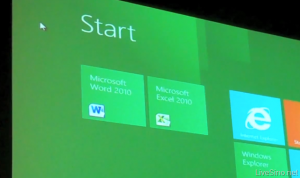
Windows 8 Start Screen – The Start screen is yet another impressive UI. The screen basically groups all your applications together, which you can easily drag and drop, or add new things.


Windows 8 Start Screen
Control Panel


Windows 8 Release Date
Playing Videos in Windows 8


Windows 8
Windows 8 Task Manager


Windows 8 Task Manager

Improved Windows Defender

The Windows Defender which was first released with Windows Vista is getting a security upgrade with the upcoming Windows 8. This would probably edge-our third-party antivirus and anti-malware programs. Windows Defender will become a full-fledged anti-malware solution for Windows 8. This will include protection against all types of malware such as virus, worms, trojans and rootkits.
In addition to that, Windows Defender will provide real-time detection and protection from malware threats using a file system filter, and will interface with Windows secured boot, which is another security feature.

Internet Explorer 10

The developer preview of Windows 8 comes with a Metro version of Internet Explore (IE) 10. Since it is a preview version, it does not support any browser plugins and extension – including Adobe Flash and Microsoft Silverlight. However, it will feature full screen browsing mode by default, implements several new HTML5 capabilities, turbocharges HTML5 performance, and adds some security options for Web applications.

Windows 8 Minimum System Requirements

It is reported that Windows 8 is expected to have the same system requirements as Windows 7, and will run on existing PCs/laptops that run Windows 7. Here are the following minimum system requirements to run Windows 8:
Processor: 1GHz or faster 32-bit or 64-bit processor
RAM: 1GB (32-bit) or 2GB (64-bit)
HD Space: 16GB for 32-bit (or 20GB for 64-bit)